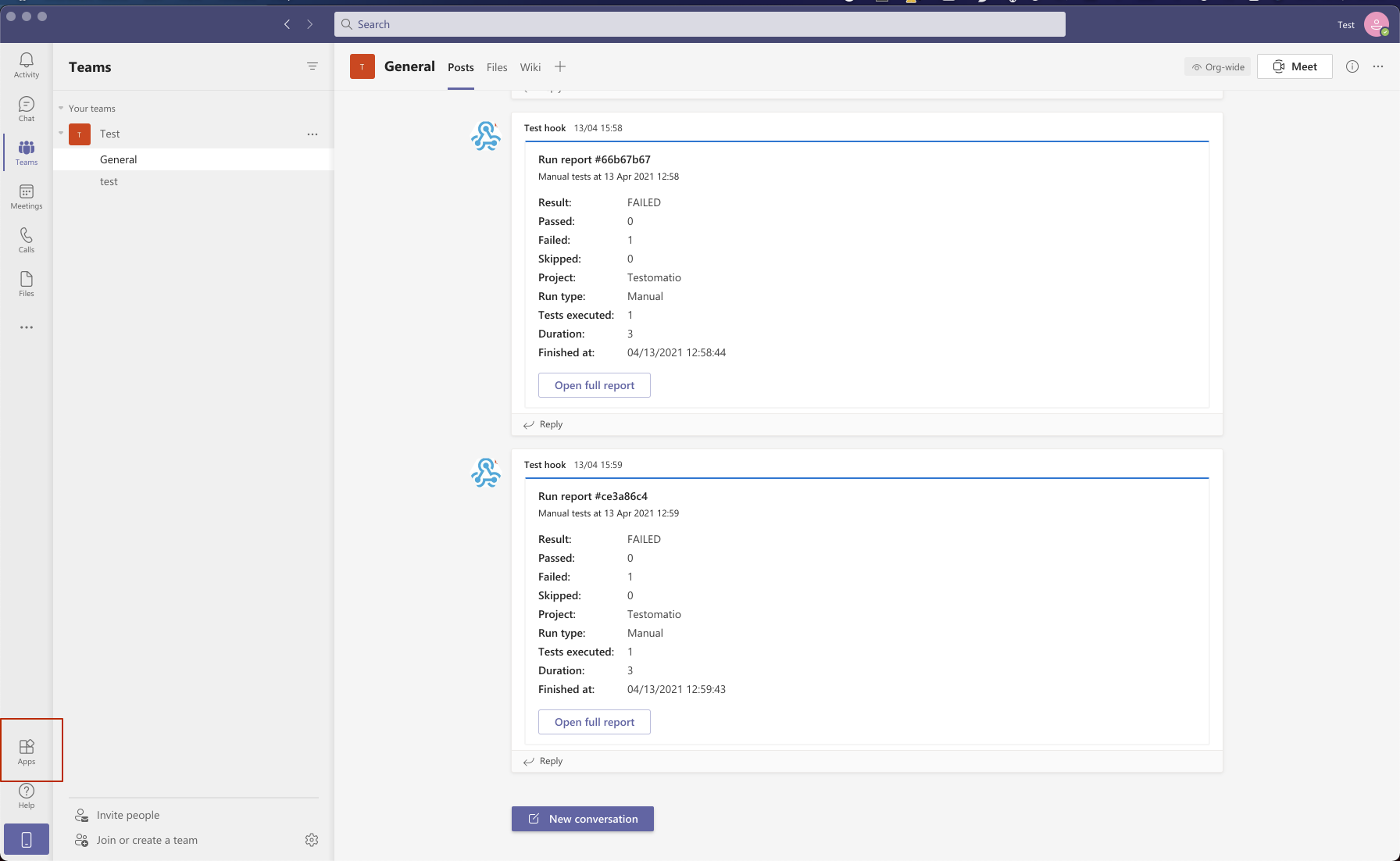
Microsoft Teams Notifications
To send noitifcations in MS Teams you need to set up incoming webhooks for your channel. Steps to configure:
- Navigate to “Apps” panel
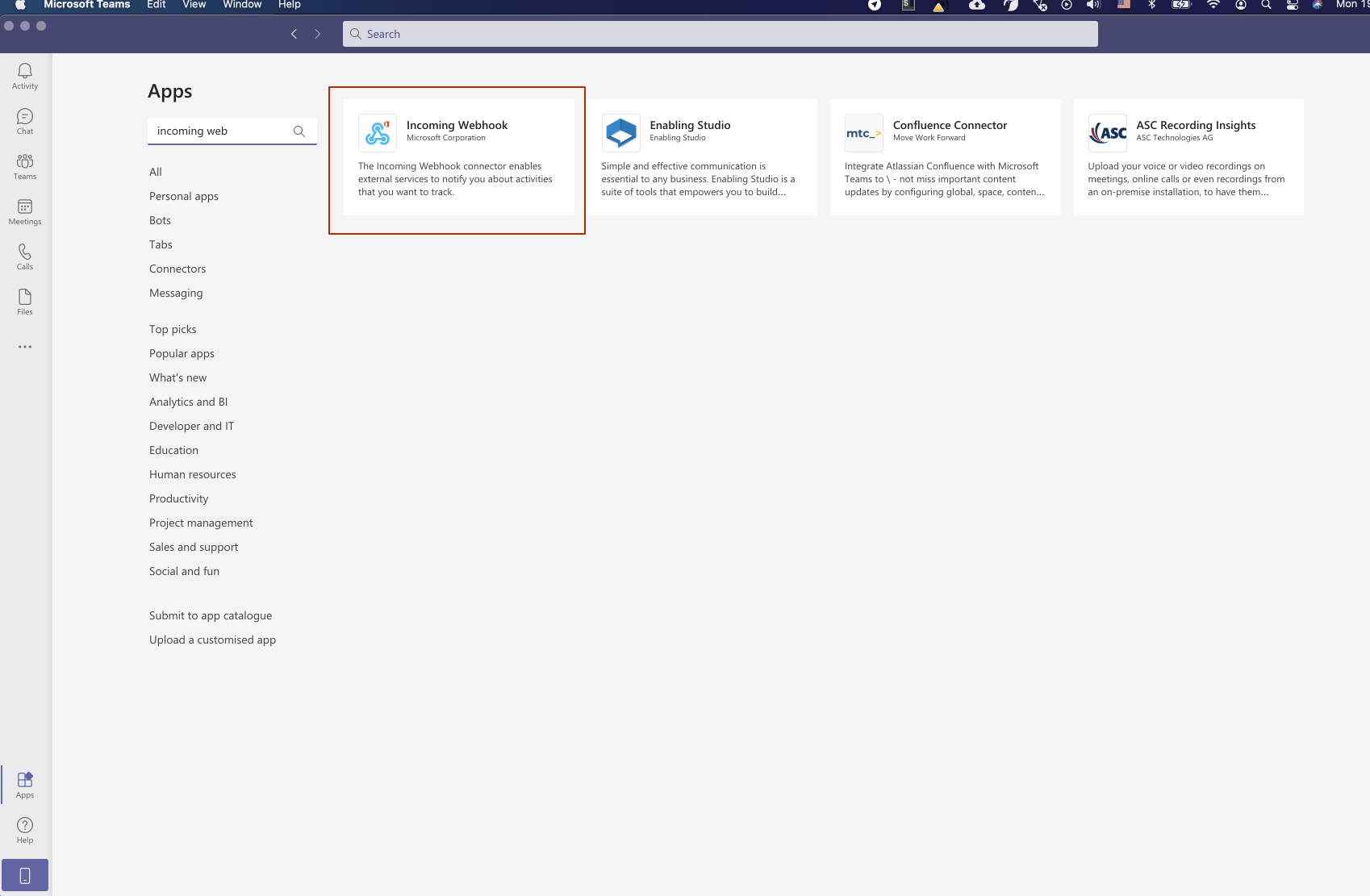
- Search for “Incoming Webhook” and add it
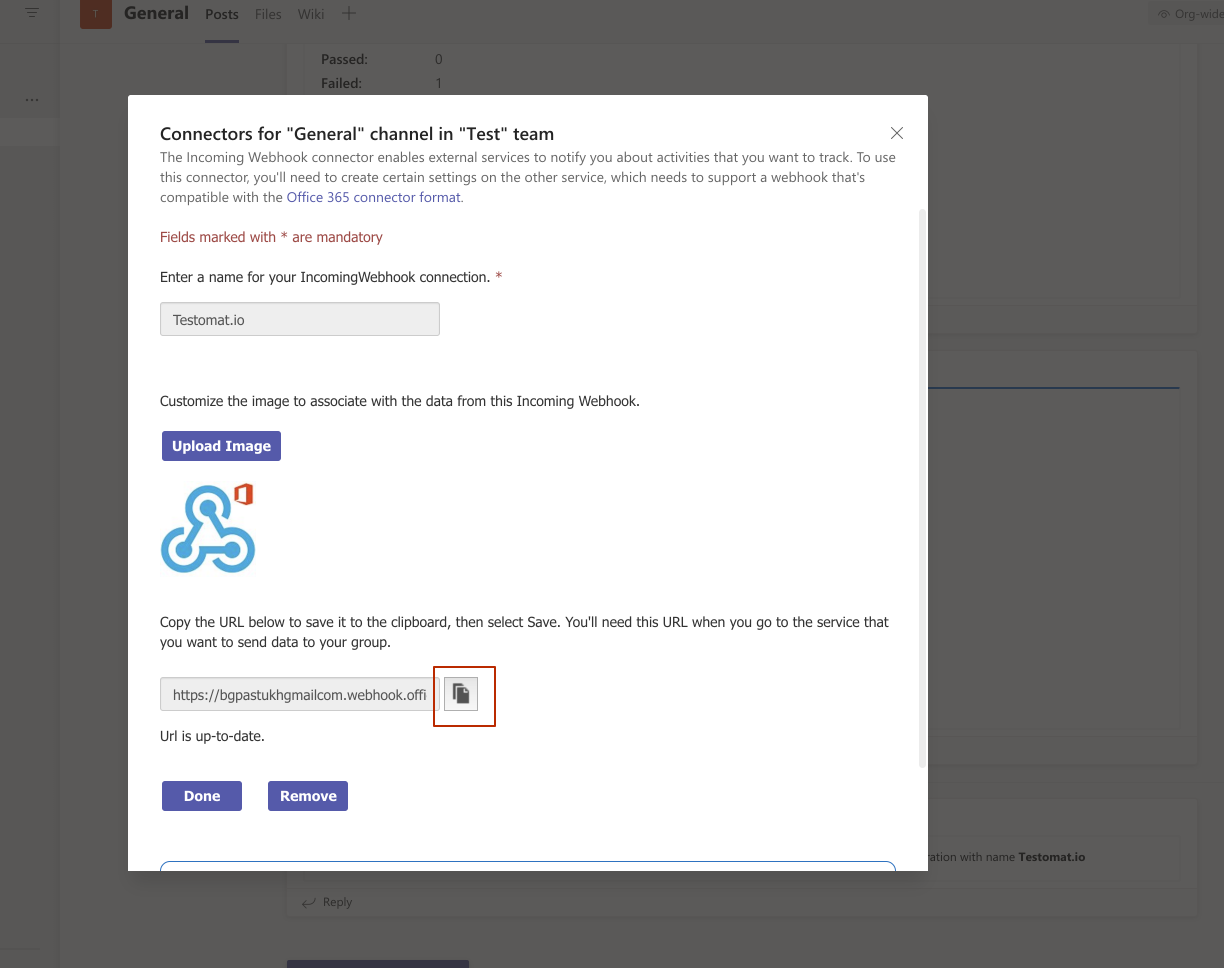
- Configure it and copy webhook url
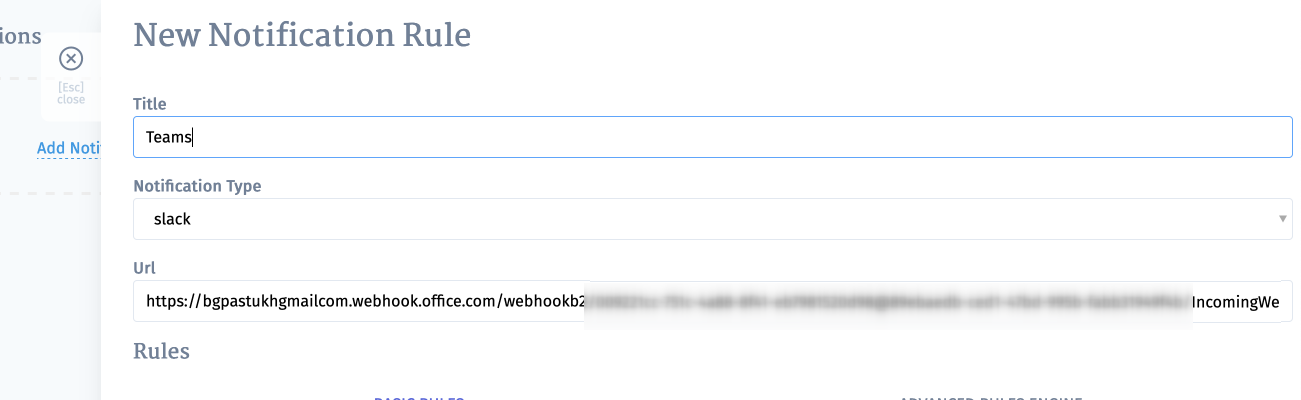
- Create a new notification in Testomatio, select “ms_teams” and paste webhook URL into Url: