
Jenkins
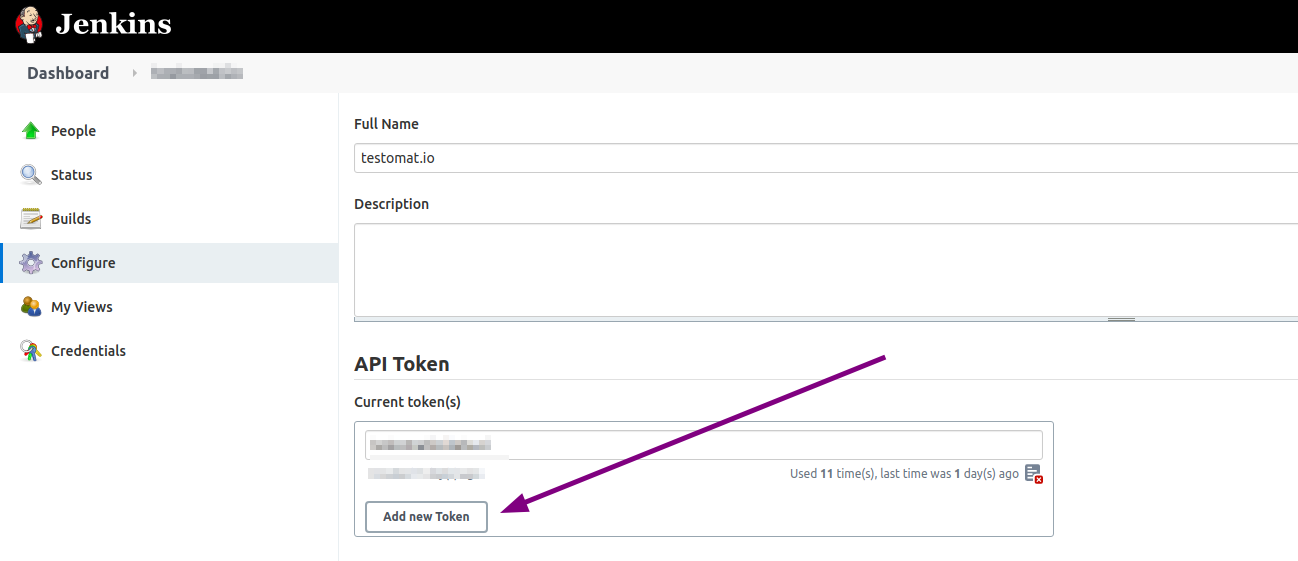
To connect Jenkins to Testomatio you will need a user and an API Token created. API token can be added on “Configure” page of current user:
Then create a new Jenkins job. Select “Freestyle project”.
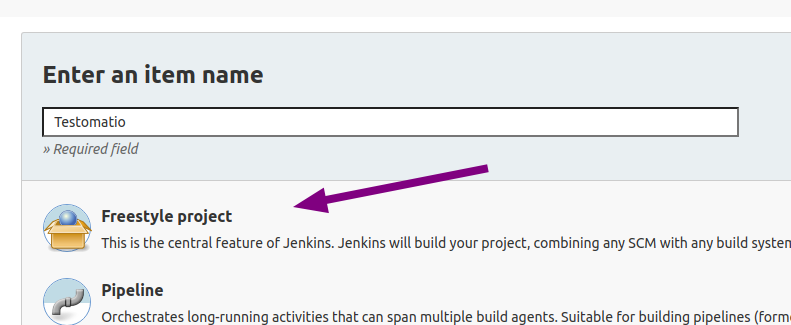
It is recommended to avoid spaces in job name to prevent issues with connecting to this job via URL
Make this build parametrized:
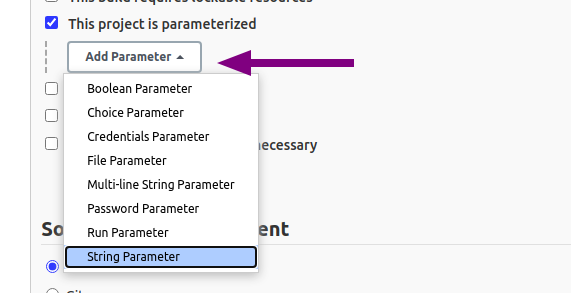
Add the following parameters as a string with empty default values:
runtestomatiogrep
If you use on-premise Testomatio setup you will also need to add testomatio_url parameter.
Inside “Build Triggers” select “Trigger build remotely”

Proceed with configuring the job and set all required parameters like SCM and build steps.
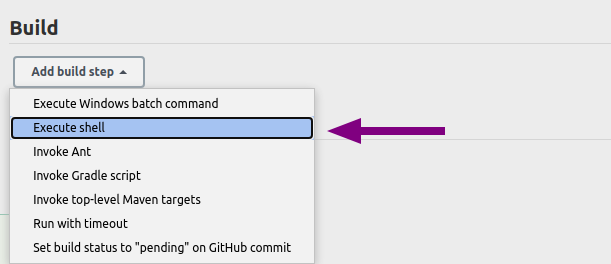
Within a step pass in configured parameters as environment variables into the test runner. Let’s take CodeceptJS command as an example:
TESTOMATIO_RUN=${run} TESTOMATIO=${testomatio} npx codeceptjs run --grep "${grep}"Prepend
TESTOMATIO_URL=${testomatio_url}if you use on-premise versoin
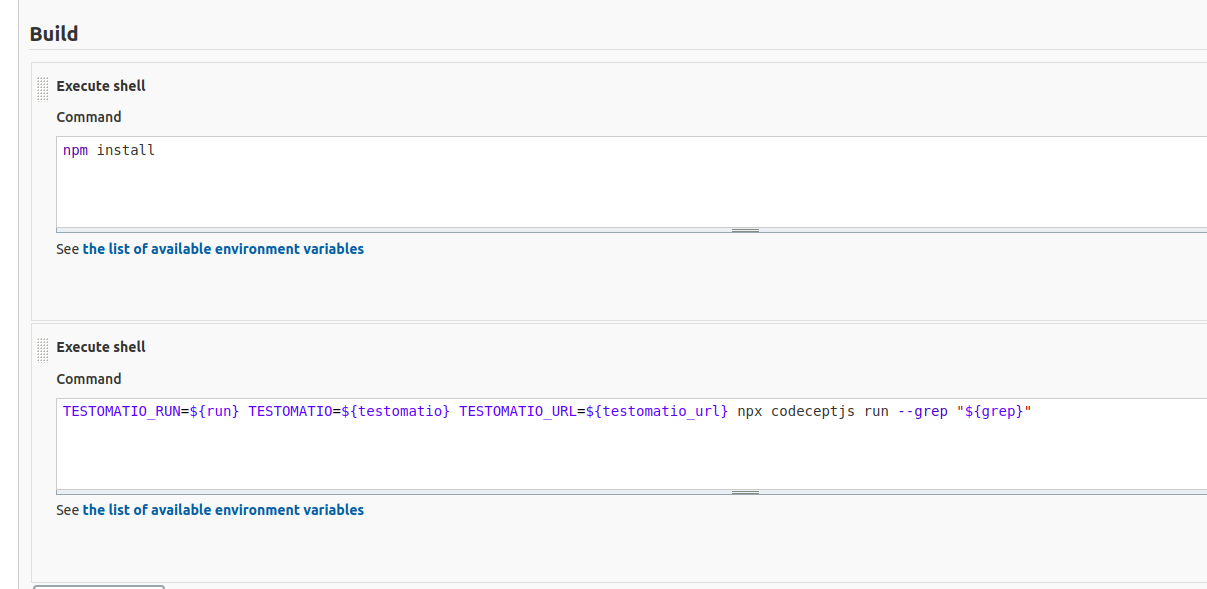
Save the build and switch to Testomat.io.
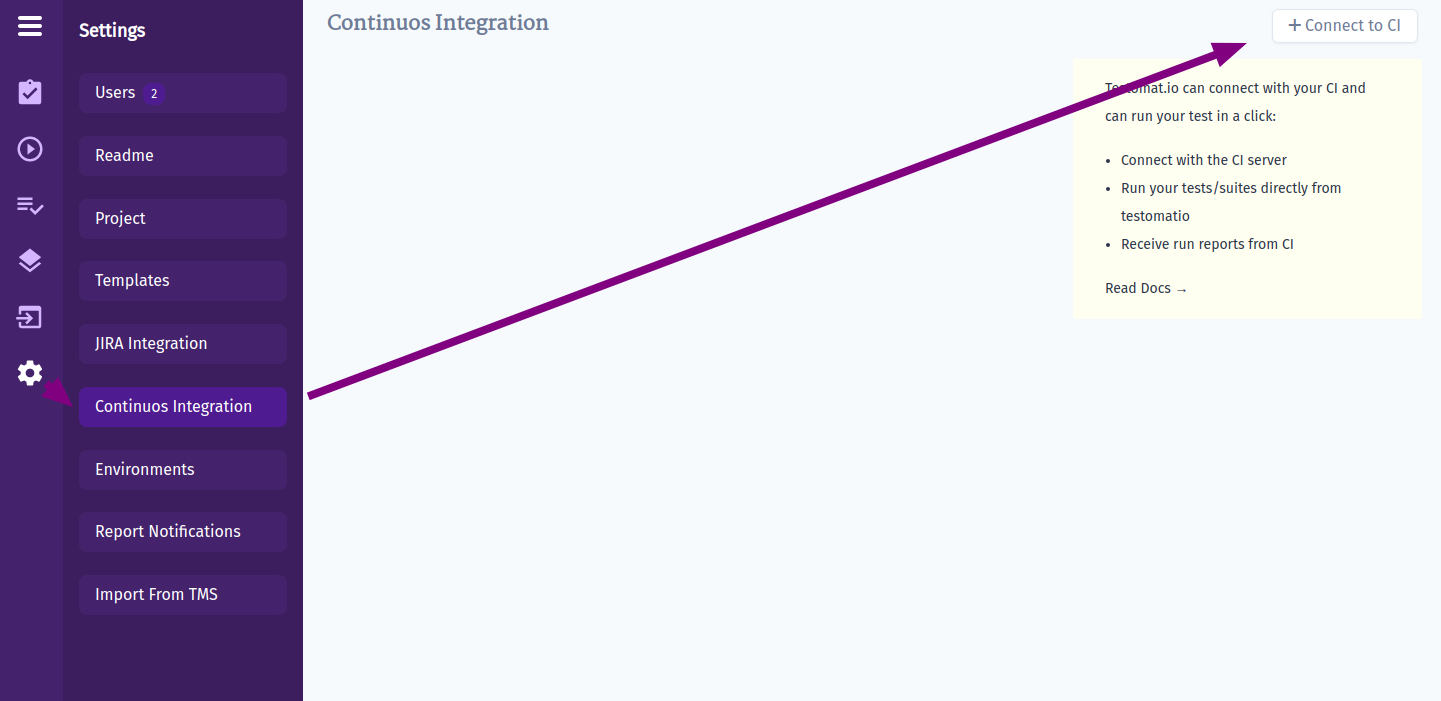
Open Settings and Connect a new CI:
Select “Jenkins” and fill in all required fields:
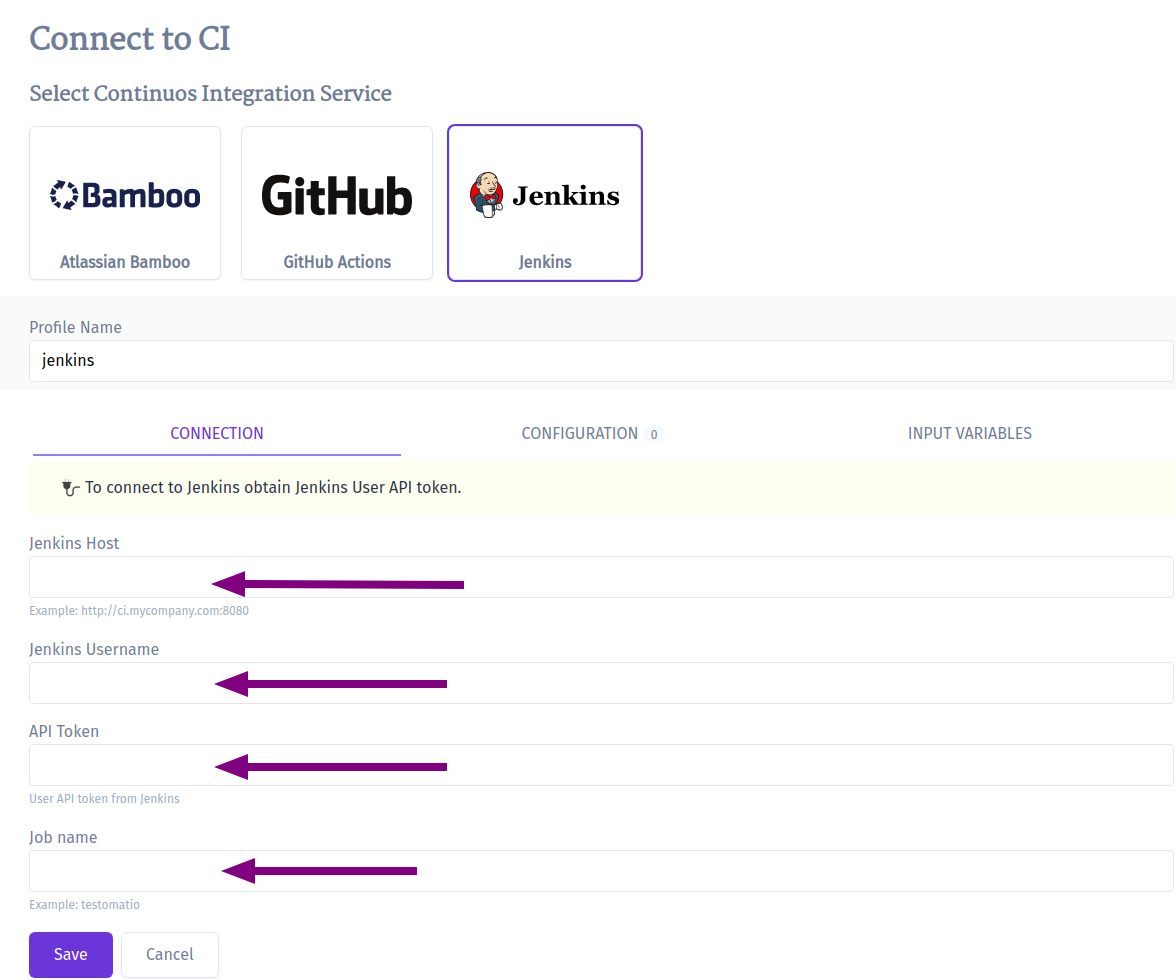
Jenkins Hostname- URL of Jenkins hostUsername- a user on Jenkins which will trigger buildsAPI Token- a token we created previously in the user’s settings.Job Name- the name of a job we just created
Switch to Input variables tab and enable variables that was configured for parametrized builds:
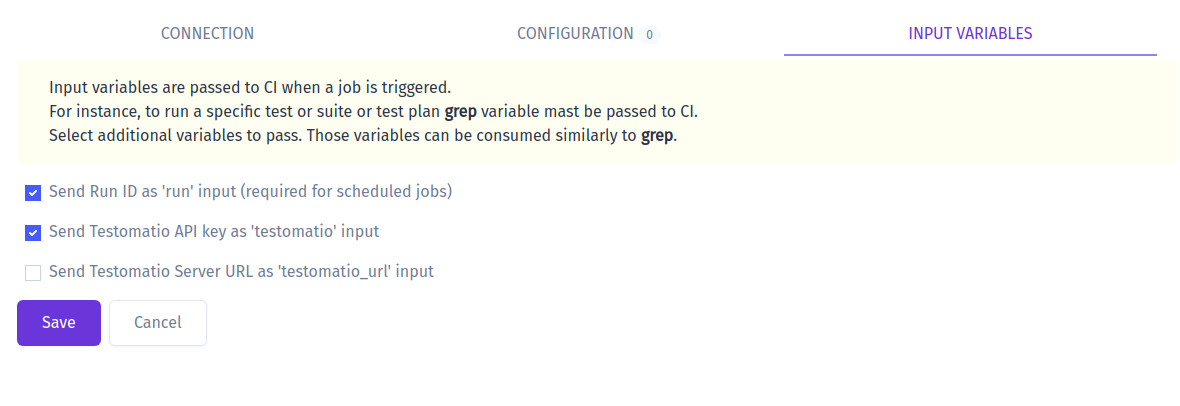
Select
testomatio_urlif you use on-premise version.
Click “Save” and check the connection.
Now you can run a test or a group of tests via Jenkins CI. For a custom configuration read about Environment Variables