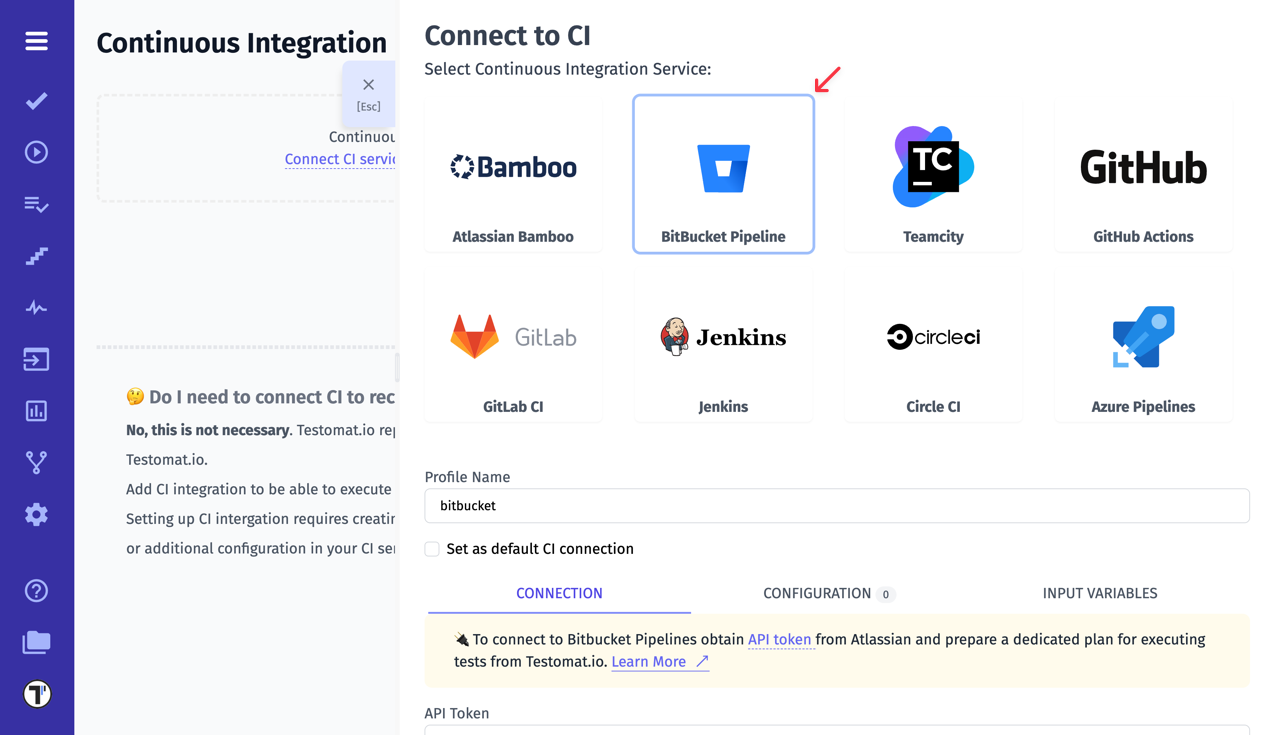
Bitbucket Pipelines
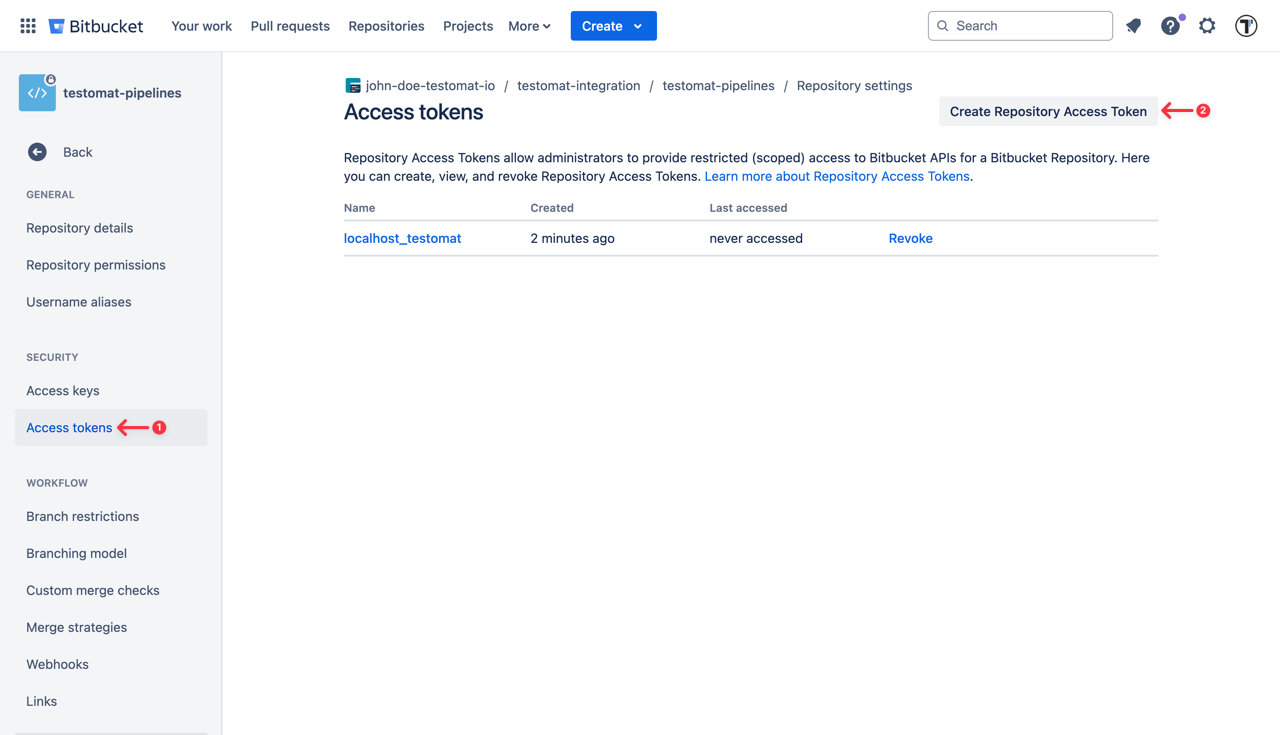
To connect Bitbucket to Testomatio you will need a API Token created. API token can be added on “Repository settings” page of current user:
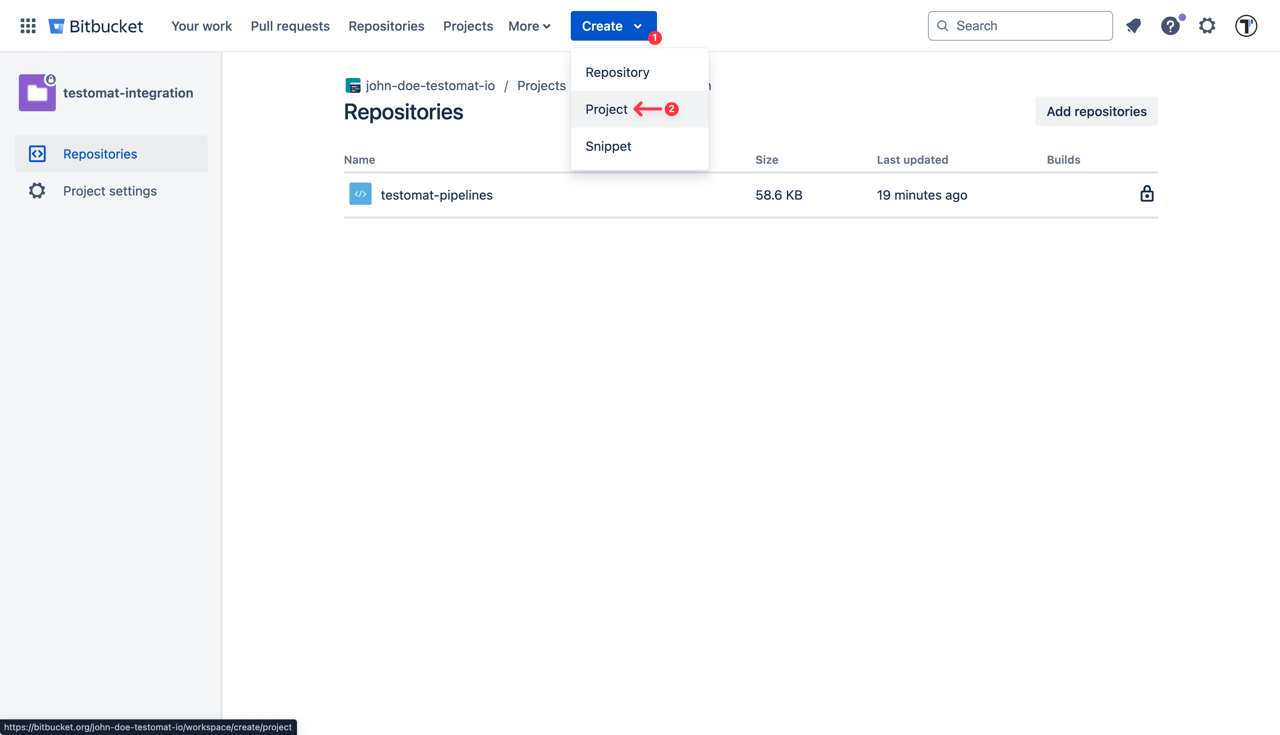
Then create a new Bitbucket project. Select button “Create” on the top and “Project”.
Make this build parametrized:
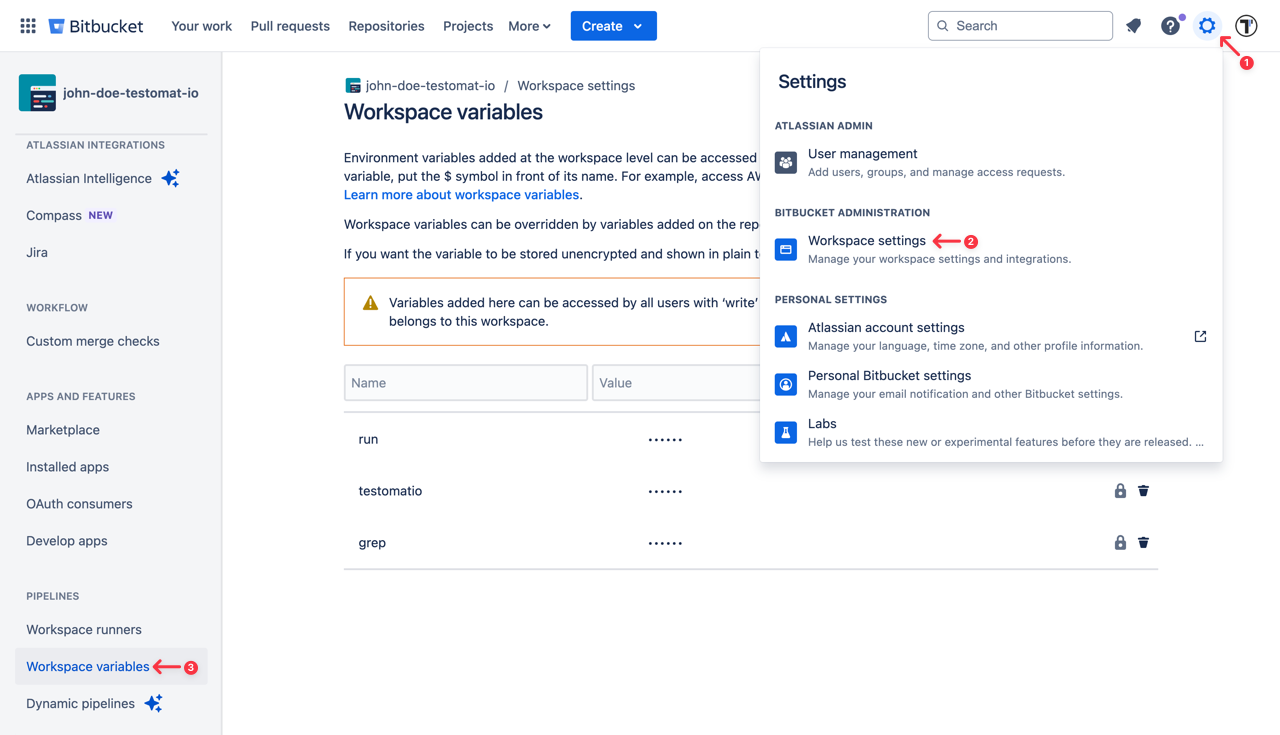
Add the following parameters as a string with empty default values:
runtestomatiogrep
The job should include a step where the test runner is executed with —grep option and TESTOMATIO environment variables passed in.
For instance: - npx codeceptjs run-workers 2 --grep "${grep}"
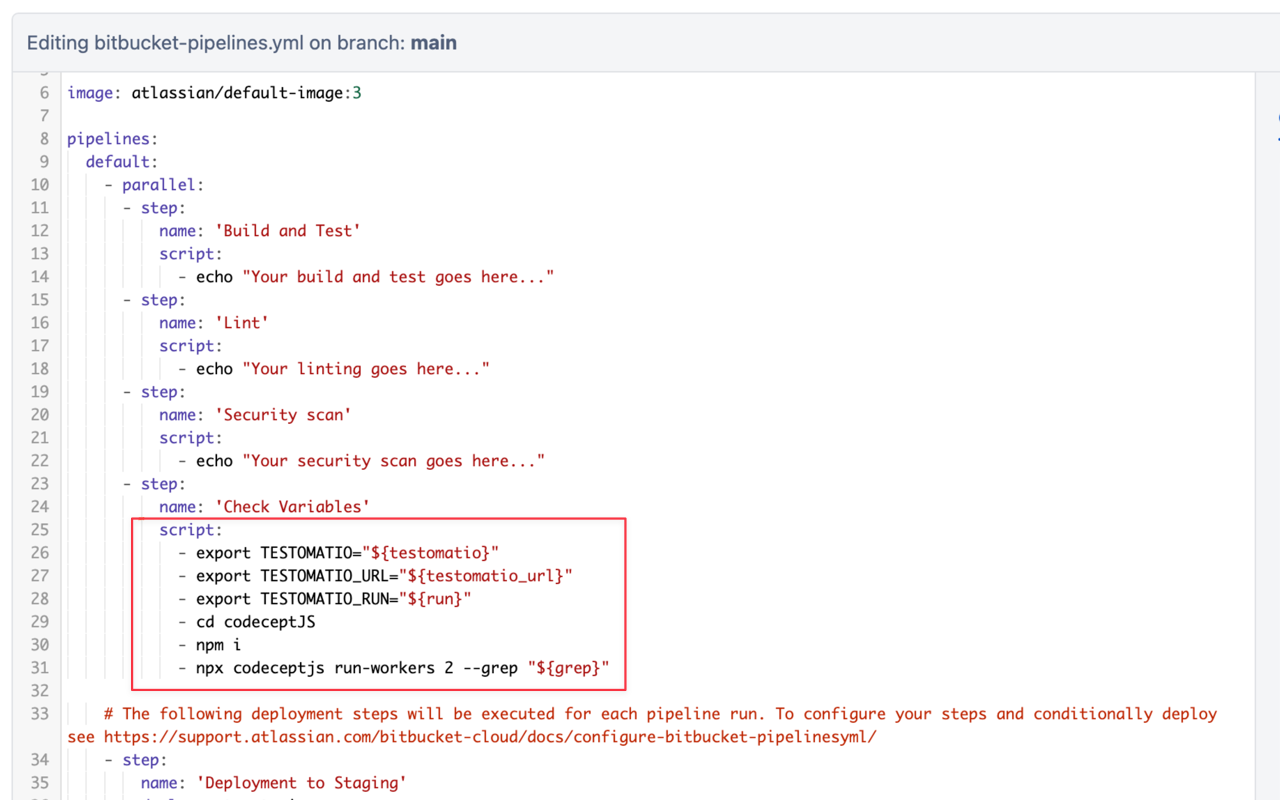
If you use on-premise Testomatio setup you will also need to add testomatio_url parameter.
Save the build and switch to Testomat.io.
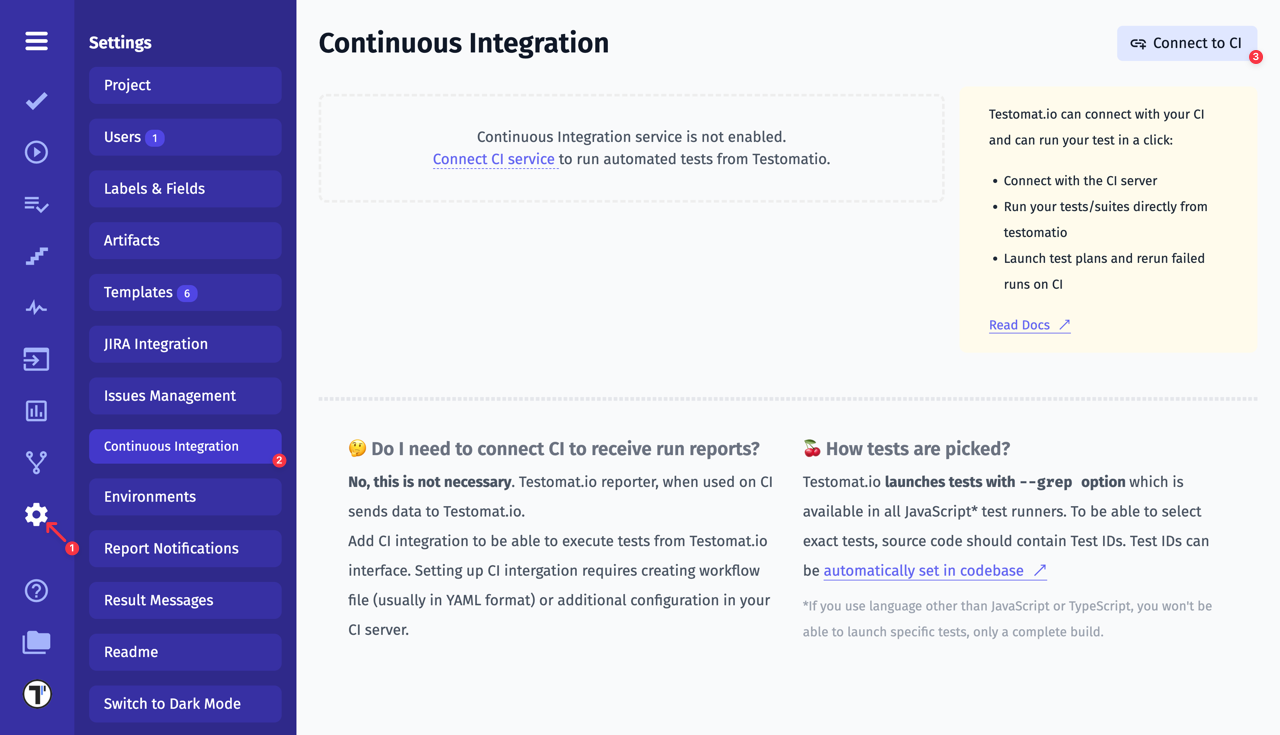
Connect Bitbucket Pipelines in Testomatio: