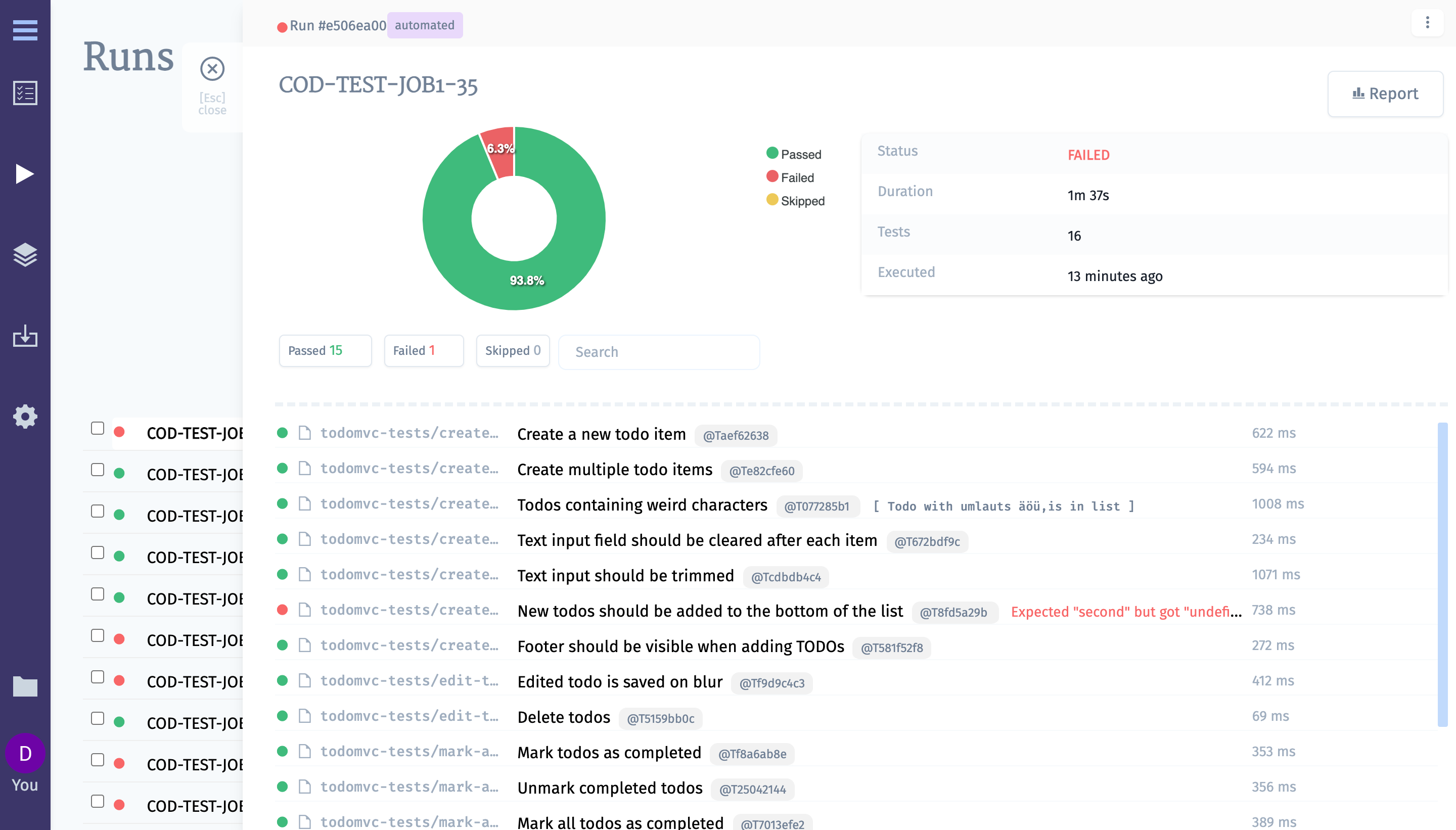
Atlassian Bamboo
Let’s configure Bamboo CI server to work for CodeceptJS framework:
- Create a plan for testomatio to run in testomatio
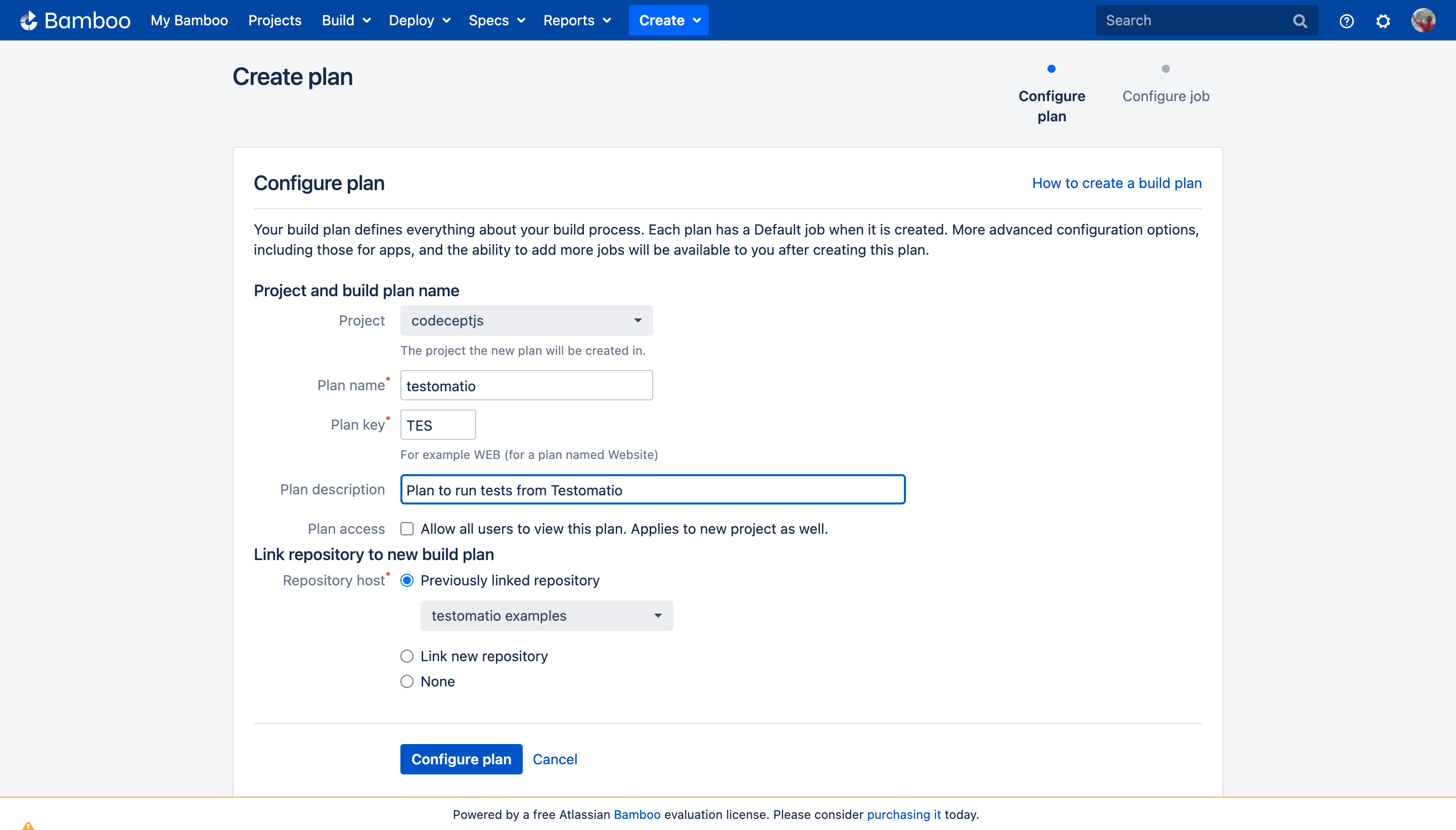
-
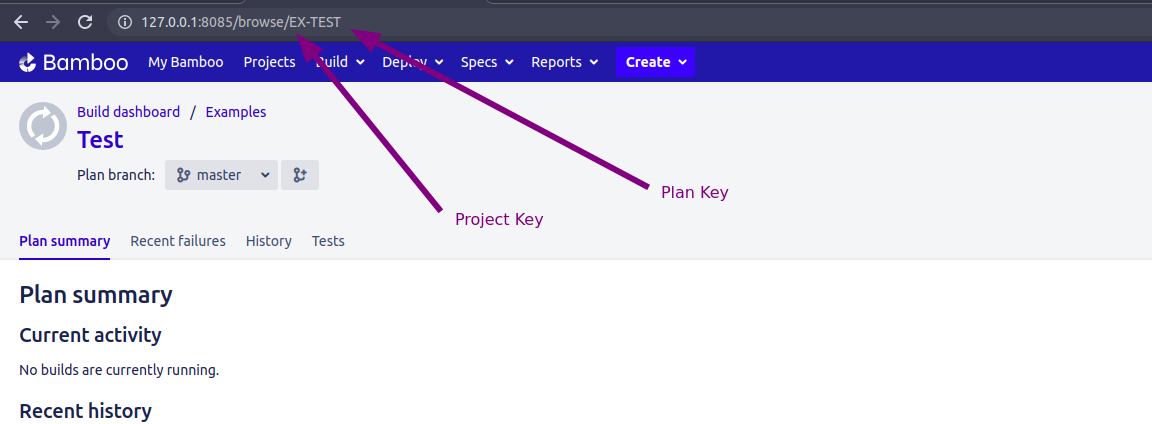
Note the plan key. In this case its “TES”
-
Configure the job to install node dependencies
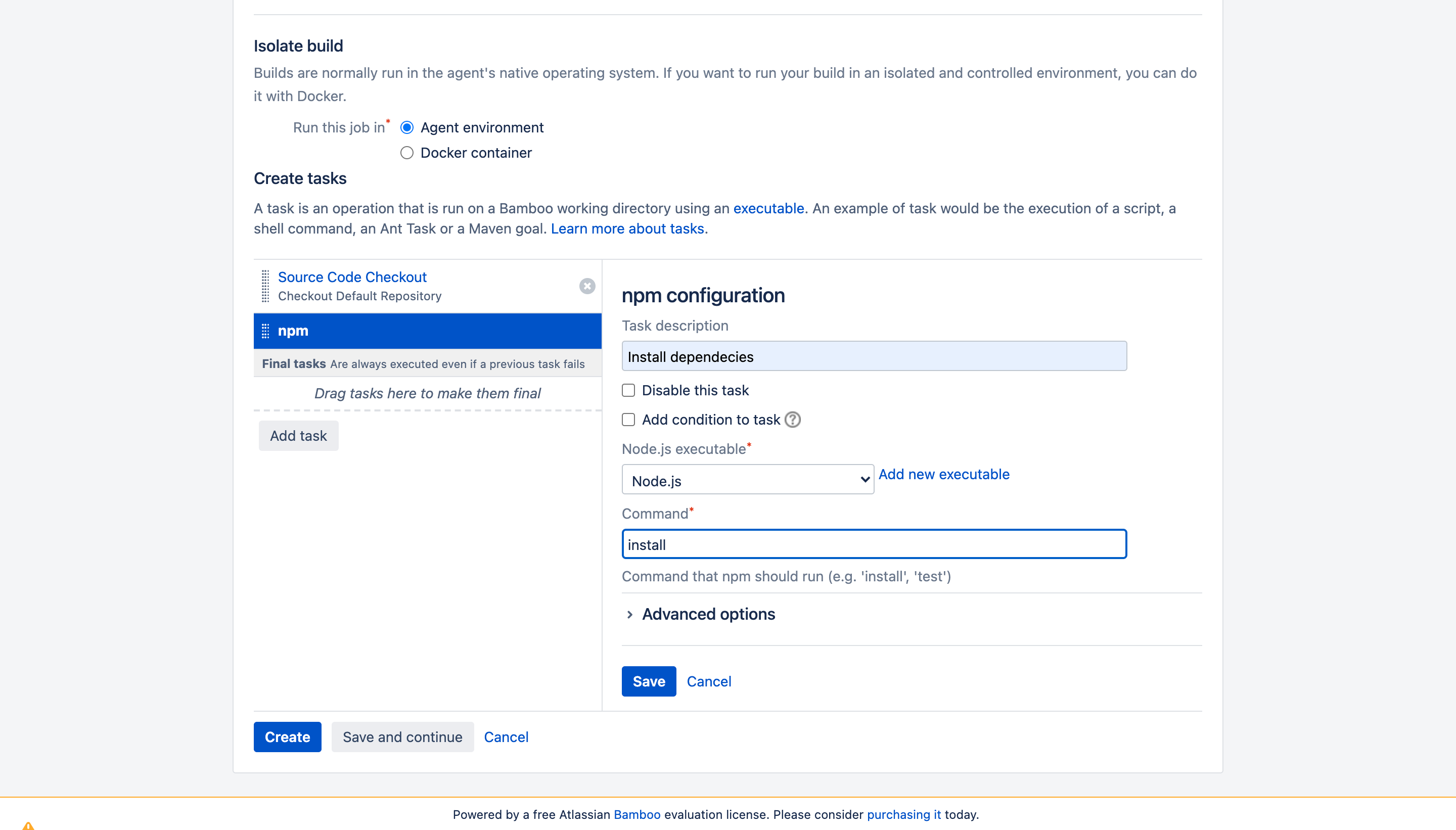
-
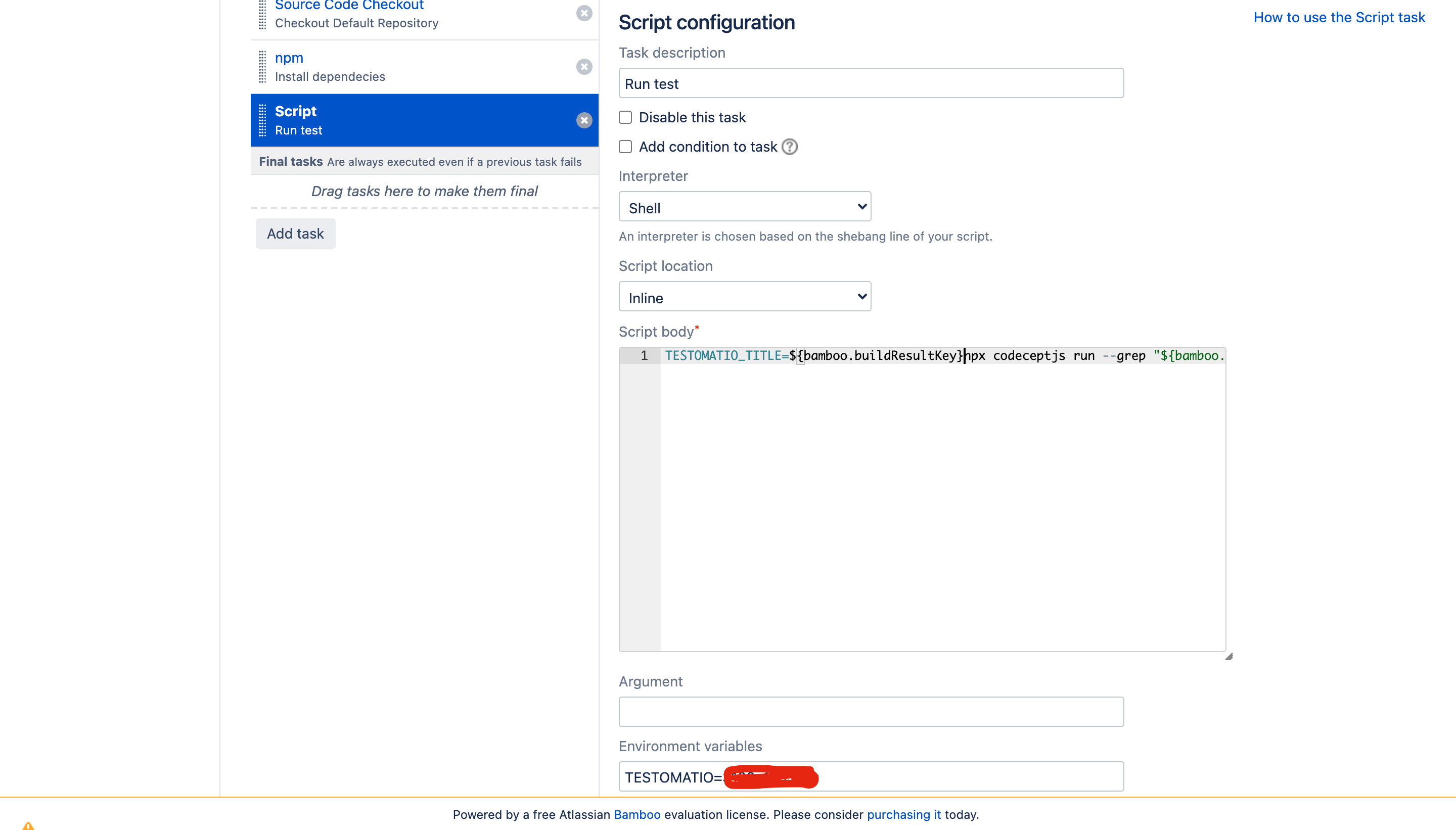
Add the script to run codeceptJS tests:
TESTOMATIO_RUN=${bamboo.run} npx codeceptjs run --grep "${bamboo.grep}"Following environment variables must be set:
- Add
TESTOMATIOenvironment variable with API key of Testomatio project. - If you are running a self-hosted Testomatio instance, add
TESTOMATIO_URLvariable to specify a host to which reports will be sent.
- Set an input variable. Open Plan configuration:
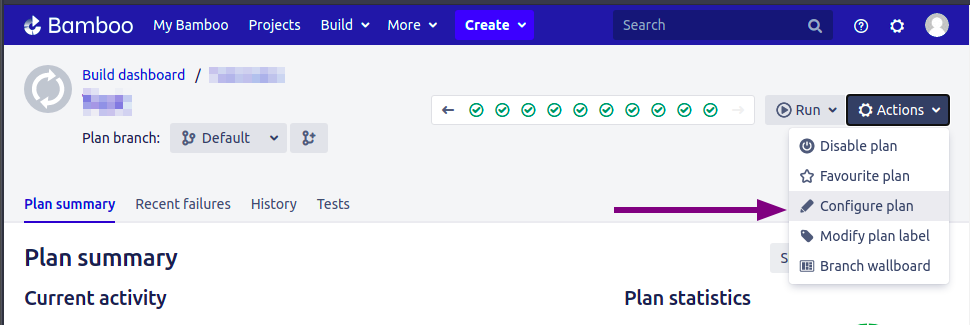
add grep and run variables with an empty string as a default value
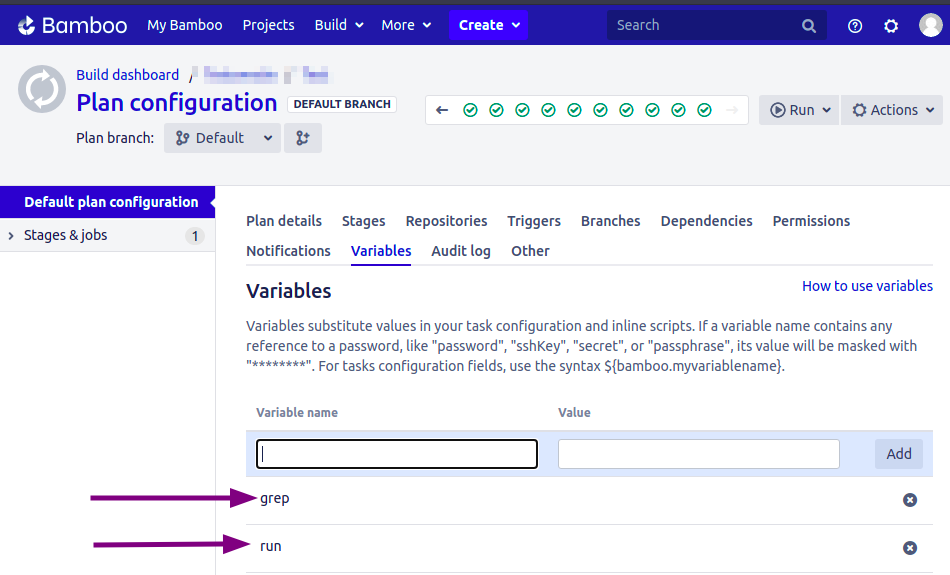
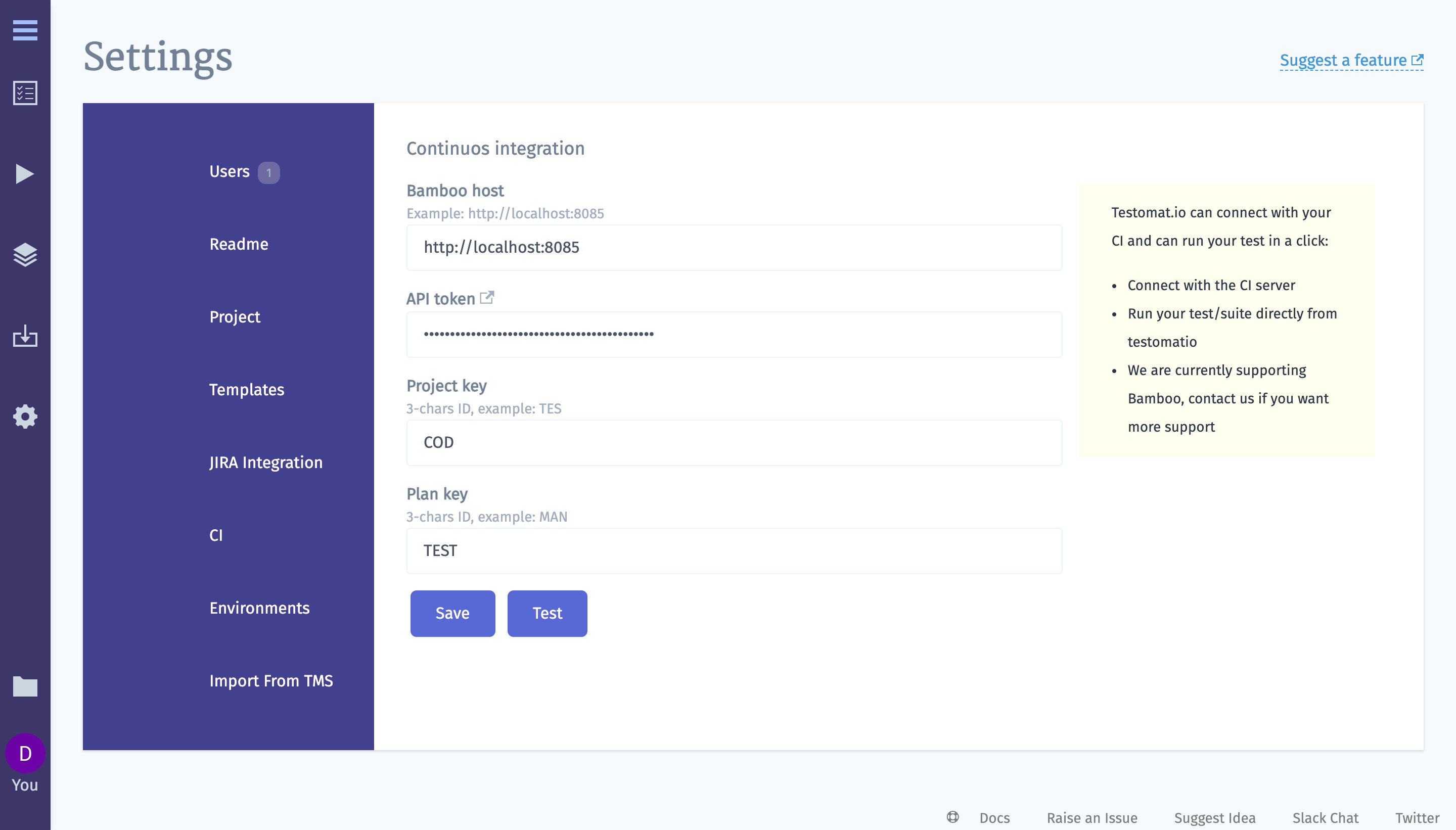
Now, configure Bamboo integration at Testomatio:
- Go to settings > CI and enter the details of Bamboo server. Check this to generate API token
A project and plan keys can be found from URL:
- Enable
runoption on Input Variables tab. This allows CI to send a report to a specific Run inside Testomatio.
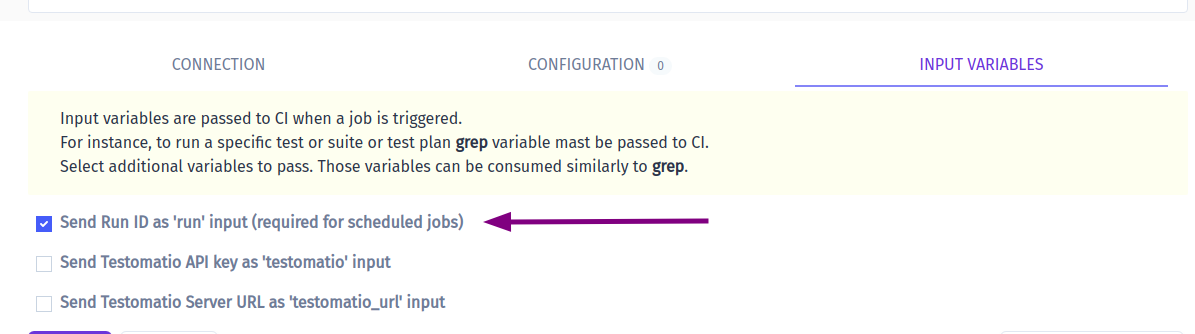
You can pass more input variables if you set them in Environment Configuration
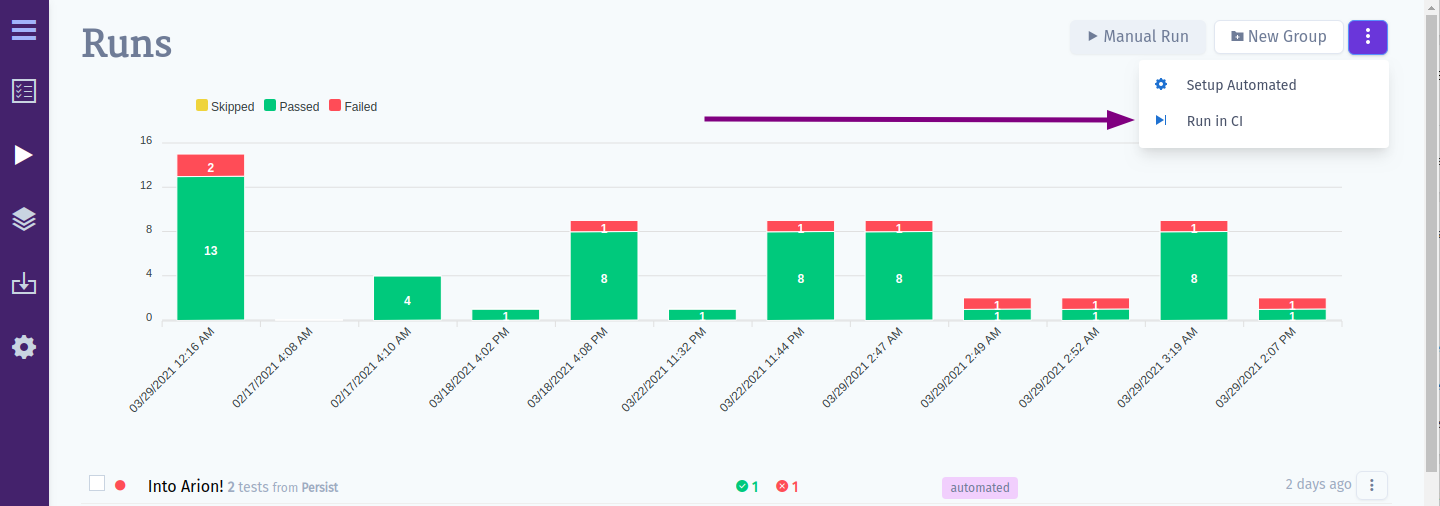
- Open Runs page (or any test or suite) then select
Run in CIoption in extra menu.
Select “Bamboo” profile in a list. Optionally, configure a Run Title and select a Test Plan.
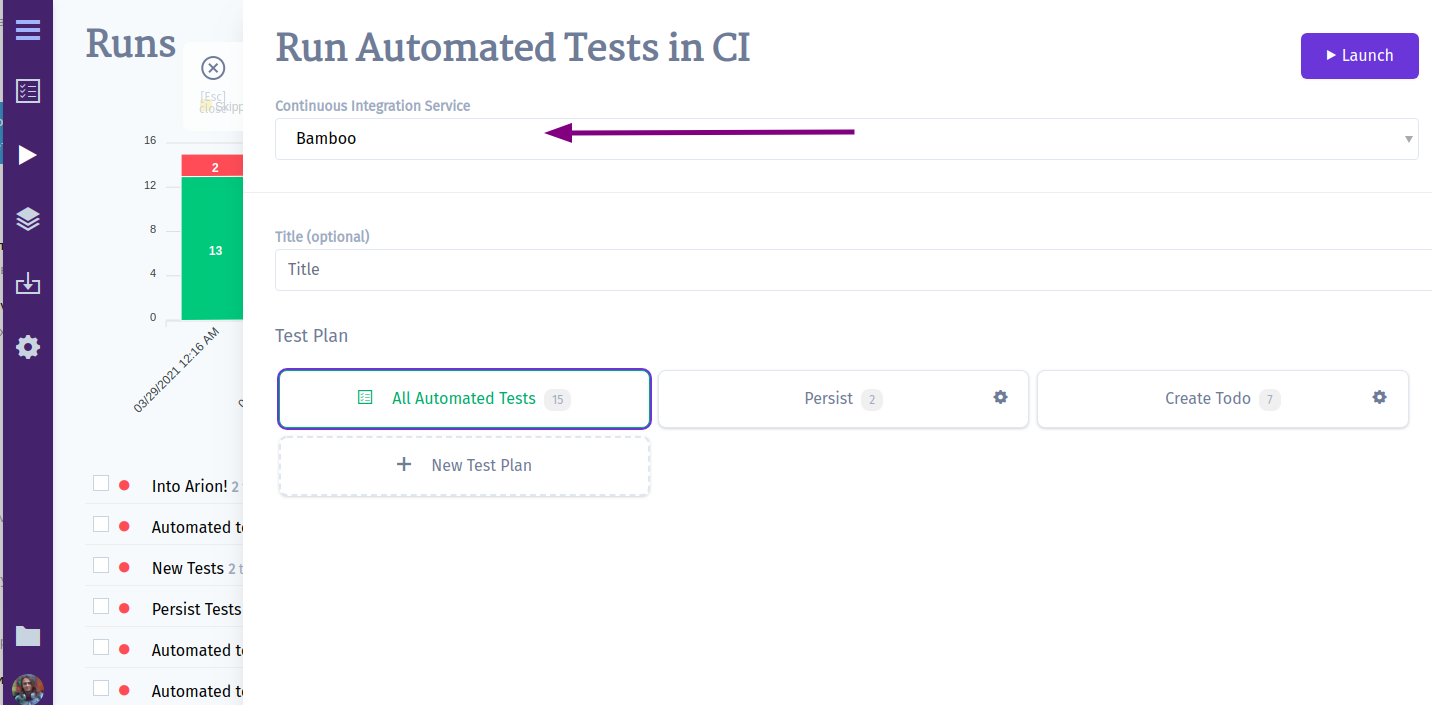
- Launch a run and wait for the results.